The Simple Fix for Businesses Missing From Google Maps Search Results Near Me
The Simple Fix for Businesses Missing From Google Maps Search Results Near Me
There is a specific, quiet frustration that every business owner feels when they stand in their own storefront, pull out their phone, search for their service “near me,” and find their competitors listed while they are nowhere to be found. It is the “Ghost Business” phenomenon. You have the physical infrastructure, the signage, and the satisfied customers, yet to the most powerful discovery tool in the world, you are invisible. As a Local SEO Consultant, I’ve spent years diagnosing these disappearances, and the reality is often simpler – and more technical – than you think. Google business profile seo is not just about marketing; it is about infrastructure engineering. When you are missing from those results, it’s rarely because your business isn’t “good enough.” It’s because your digital infrastructure has a structural failure.
The stakes couldn’t be higher. Research consistently shows that over 30% of all mobile search results are related to map listings. If you aren’t appearing in that “Local Pack” or the “Near Me” results, you aren’t just losing a lead; you are essentially ceding your entire local market share to whoever bothered to fix their digital signals. In this deep dive, we are going to move past the surface-level advice of “getting more reviews” and look at the actual mechanical reasons Google is hiding your business and the simple fixes required to reclaim your visibility for 2025 and 2026.
Why “Near Me” is the Most Competitive Battlefield in Local SEO
The “near me” intent is the holy grail of local search. It represents a user who is often in the “decision” phase of the buyer’s journey, ready to spend money immediately. Because of this high intent, Google’s algorithm for these searches is significantly more aggressive. To understand why you might be missing, you have to understand the three pillars of the Google Maps algorithm: Relevance, Distance, and Prominence.
However, there is a fourth, unspoken pillar that often overrides the others: Certainty. Google’s primary goal is to provide a result that satisfies the user’s query with 100% reliability. If the algorithm detects even a 1% “uncertainty” regarding your location, your service offerings, or your current operational status, it will filter you out. This is “uncertainty filtering.” Google would rather show a business that is three miles further away but has “certain” data than a business 500 feet away with conflicting signals. This is why Why Your Business Map Pin Is Invisible to High-Intent Local Shoppers – it isn’t a lack of proximity; it’s a lack of algorithmic trust.
In the 2025-2026 landscape, prominence is no longer just about who has the most backlinks. It is about “entity clarity.” Google is trying to connect the dots between your website, your social profiles, your physical location, and third-party mentions. If those dots don’t form a clear, undeniable picture of a legitimate business, you vanish from the “near me” results to protect the user experience.
The “Simple Fix” #1: Auditing Your Profile Infrastructure
Most businesses fail the visibility test because of “Signal Gaps.” These are small inconsistencies that, in isolation, seem trivial but, when aggregated, create a massive red flag for the algorithm. To fix this, you must stop viewing your profile as a social media page and start viewing it as a database entry. The first step is to use a google business profile audit tool to identify where your data is fracturing.
One of the most common infrastructure failures is the Category Selection Error. Many businesses select a primary category that is too broad or, worse, one that doesn’t align with the specific “near me” queries they want to win. If you are a “Personal Injury Lawyer” but your primary category is set to “Lawyer,” you are competing in a much larger, more diluted pool. By tightening your primary category and utilizing the specific sub-categories allowed by Google, you immediately increase your relevance score. This is one of those 7 Google Business Profile Tips for 2026 That Drive Real Foot Traffic that can yield results in as little as 48 hours.
Furthermore, verification status is not a “set it and forget it” metric. In recent updates, Google has been silently “unverifying” or placing profiles into a “limited visibility” state if they suspect the physical address is no longer valid or if the NAP (Name, Address, Phone) data has changed elsewhere on the web. A technical audit ensures that your “infrastructure” is actually connected to the grid. If your NAP data on a forgotten Yelp page from 2018 doesn’t match your current profile, Google sees a “data conflict” and chooses the path of least resistance: hiding you.
Why Your Map Pin Vanishes (The Proximity & Filtering Problem)
Have you ever noticed that you rank #1 when you are sitting in your office, but the moment you drive three blocks away, you disappear? This is the “Invisible Barrier,” and it’s often caused by algorithmic filtering known in the industry as “Possum” or “Hawk” style updates. Google filters out similar businesses in close proximity to prevent the search results from being dominated by one building or one specific block.
If you share a building with a competitor, or even a business in a related category that is more “prominent” (more reviews, older listing, better SEO), Google may decide that showing both of you is redundant. To Google, it’s a better user experience to show one result from that building and one from two blocks away. To fix this, you have to out-signal the neighbor. This involves strengthening your “prominence” through localized content and technical schema that proves you are the more relevant authority for that specific user’s intent. You need to learn How to Fix the Invisible Barrier Killing Your Organic Visibility by differentiating your entity from the surrounding noise.
Proximity is the only factor you cannot change, but it is the factor you can most easily “override” with relevance. If a user searches for “emergency 24-hour plumber near me,” and you are 5 miles away but have “24-hour emergency service” explicitly mapped in your profile and website schema, you can outrank the plumber who is 1 mile away but hasn’t updated their hours or services. Proximity is a baseline, but relevance is the tie-breaker.
The Content Gap: Beyond Just “Getting Reviews”
While reviews are a significant part of the “Prominence” pillar, they are often over-emphasized at the expense of other critical signals. In 2026, Google is looking for “freshness” and “depth.” If your profile hasn’t been updated with a post, a new photo, or a service update in six months, the algorithm assumes you may be less operational than a competitor who updates weekly. This is where many businesses fall into The Hidden Profile Gaps That Stop Nearby Customers From Seeing Your Service.
Google Business Profile Posts are underutilized “infrastructure” components. They aren’t just for announcements; they are for keyword indexing. When you post about a “new HVAC installation in [Neighborhood Name],” you are feeding the algorithm hyperlocal keywords that help bridge the proximity gap. Similarly, the Services section of your profile should be treated like a secondary website. Do not just list “Plumbing.” List “Tankless Water Heater Repair,” “Clogged Drain Cleaning,” and “Emergency Pipe Burst Repair.” Each of these acts as a “hook” for specific long-tail “near me” searches.
Hyperlocal content is the last honest way to beat national brands. A national franchise might have more reviews, but they rarely have the capacity to post about specific local community events or neighborhood-specific projects. By anchoring your business to the local geography through your content, you tell Google that you are the most “relevant” choice for a user in that specific micro-location.
Technical Fixes: Schema and Map Embeds
To truly master google business profile seo, you have to look at how your website communicates with Google Maps. Your website acts as the “translator” for your physical location. If your website doesn’t have Local Business Schema (JSON-LD), you are forcing Google to “guess” your details. Schema is a block of code that tells Google’s bots exactly what your name is, where your map pin is located, what your hours are, and what services you provide in a language they understand perfectly.
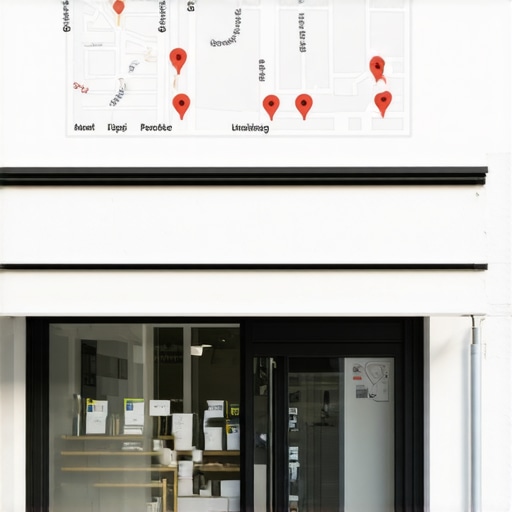
However, be careful with outdated tactics. A few years ago, “spammy map embeds” (embedding a map of every single suburb you serve at the bottom of your homepage) was a common strategy. In 2025, this can actually trigger filters. Google’s algorithm is smart enough to know that your physical office is in one place. Trying to “trick” it into thinking you are in ten places at once through map embeds often leads to a “suspicious activity” flag, which results in your profile being hidden from “near me” results. Instead, focus on a single, high-quality map embed of your verified location and use “Service Area” settings within your profile to define your reach. A professional local seo software suite can help you monitor how these technical changes impact your “heat map” of visibility.
Troubleshooting Checklist: 5 Minutes to Visibility
If you are currently missing from the maps, run through this technical checklist immediately. These are the “simple fixes” that often resolve 80% of visibility issues:
- Check for “Pending” Edits: Log into your dashboard. Often, users (or competitors) suggest edits to your hours or address. If these are sitting in a “pending” state, Google may suppress your listing until they are resolved.
- Primary Category Audit: Compare your primary category to the top 3 ranking competitors for your main keyword. If you are “Auto Repair” and they are all “Brake Shop,” you need to align with the intent Google is currently favoring.
- The Service Area Overlap: If you are a Service Area Business (SAB), ensure your service area doesn’t overlap so broadly that it loses “local” focus. Keep it realistic to where you actually provide service.
- Audit Your “Heat Map”: Use a google maps rank tracker to see exactly where your visibility drops off. If you rank #1 at your door but #20 two blocks away, you have a relevance/prominence issue, not a technical suspension.
- Image Metadata: Ensure your profile has recent, high-resolution photos of the exterior of your building. This helps Google’s “Vision AI” confirm the physical existence of your business, which is a massive trust signal for “near me” results.
Conclusion: Reclaiming Your Local Dominance
Local visibility is not a “set it and forget it” achievement. It is an ongoing process of maintaining digital infrastructure. When a business is missing from Google Maps “near me” results, it is almost always a sign that the “Certainty” pillar has been compromised. By auditing your profile for signal gaps, resolving category errors, and utilizing technical tools like schema and rank tracking, you remove the reasons for Google to hide you.
Local SEO isn’t just about being found; it’s about removing the uncertainty that keeps you invisible. Stop guessing why your competitors are winning and start measuring your performance with professional google business profile seo tools. Your customers are standing right outside your door – it’s time to make sure Google lets them see you.