Why Your Business Profile Updates Aren’t Actually Showing Up for Customers
Why Your Business Profile Updates Aren’t Actually Showing Up for Customers
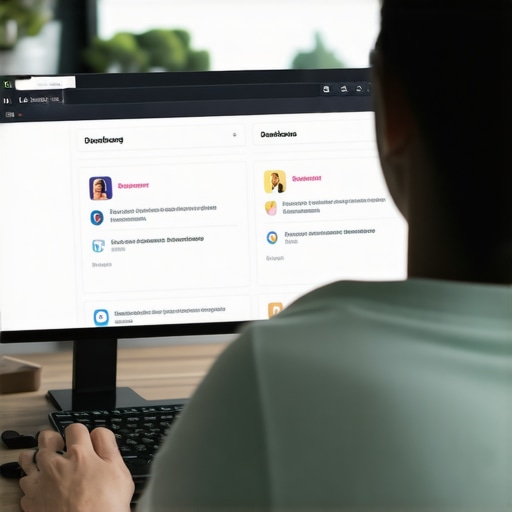
You’ve spent thirty minutes carefully crafting your new service descriptions. You’ve uploaded high-resolution photos of your latest project, updated your holiday hours, and finally corrected that annoying typo in your business description. You hit “Save,” and you wait. You check the search results from your phone. Nothing. You check from your desktop. Still nothing. Instead, you see that dreaded orange text or the perpetual “Pending” status in your dashboard.
As a Local SEO Consultant and Google Business Profile (GBP) Product Expert, I hear this frustration daily. Business owners are often told that managing their profile is as simple as “set it and forget it.” In reality, the landscape of google business profile seo has shifted dramatically. If you want to rank google business profile listings in 2025 and 2026, you have to understand that Google no longer takes your word for granted.
The “Invisible Barrier” is real. We are currently in an era of aggressive fraud prevention and data quality scrutiny. Google’s algorithms are more skeptical than ever, treating every edit as a potential threat to the integrity of Google Maps. This post will break down the technical reasons why your updates are stuck in limbo and how to navigate the increasingly complex world of google business profile optimization.
The “Pending” Purgatory: Why Your Edits Are Stuck
When you make a change to your profile, Google places that edit into a “Processing” or “Pending” state. Under normal circumstances, these edits are reviewed by automated systems and published within minutes. However, we are increasingly seeing edits sit in “Pending” purgatory for days, weeks, or even indefinitely.
The industry standard is the 5-Day Rule. If your verification or edits have been “Processing” for more than five business days, it is no longer a standard delay; it is a signal of a deeper algorithmic conflict or a manual review trigger. At this point, simply waiting rarely works. You are likely caught in a filter that requires manual intervention or a specific technical fix.
Often, edits get stuck because the AI cannot reconcile the new data with existing web signals. If you are trying to change your business name or category, Google cross-references that change with your website, social profiles, and government registries. If there is a mismatch, the edit stalls. This is where a professional google business profile audit tool becomes essential to identify exactly where the data discrepancy lies before you attempt further edits.
For more on the technical nuances of profile management, see [[The Checklist Your Maps Ranking Agency Hopes You Never See]].
The 2025-2026 Verification & Reverification Surge
If you feel like you are being asked to verify your business more often than usual, you aren’t imagining it. On March 19, 2025, Google officially acknowledged a significant bug that caused a massive spike in reverification requests across the globe. This bug affected businesses making updates through the standard dashboard as well as those using the Google Business Profile API.
While Google claimed to have addressed the immediate bug, the “aftershocks” have defined the 2026 local SEO landscape. Google has moved toward a “Zero Trust” model. Even minor updates – like changing a service area or adding a secondary phone number – can now trigger a full-blown video verification or a request for official documentation.
This surge is largely a response to the rise of AI-generated spam listings. Unfortunately, legitimate businesses are getting caught in the crossfire. “Quality Guideline Violations” are now triggered more easily by bulk edits. If you attempt to update ten different fields at once, Google’s fraud detection system flags the account for “suspicious activity,” leading to an immediate suspension or a permanent “Pending” status on all changes.
If you find yourself in this situation, read our guide on [[What to Do When Google Suspends Your Business Profile Without Warning]] to learn the recovery protocols.
Content-Specific Rejections: Photos, Phones, and Services
Sometimes, your profile is “Active,” but specific pieces of content refuse to show up. This “partial ghosting” is one of the most common complaints I see as a google maps ranking service provider.
Photos That Never Appear
Google uses Cloud Vision AI to scan every photo uploaded to a profile. If the AI detects that a photo looks like a stock image, contains too much text (more than 10% of the frame), or has been used on other websites without clear attribution, it will be “rejected.” Even if it says “Uploaded,” the photo may remain invisible to the public. To avoid this, ensure your photos have clear EXIF data (geotags) and avoid heavy filters.
The Phone Number Approval Loop
Changing a phone number is one of the highest-risk edits you can make. Google is hyper-aware of “lead gen” scams where hackers hijack profiles by changing the phone number. If your new number isn’t approved, it’s usually because Google cannot find that number associated with your business on other authoritative sites like your official website or the Better Business Bureau.
Service and Attribute Restrictions
Not all fields are created equal. For example, hotel attributes (like “Pet Friendly” or “Wi-Fi”) cannot be updated via bulk spreadsheet uploads; they must be managed individually via the dashboard or through a specific API integration. If you are a service-area business (SAB), adding too many “Services” that are outside your core category can also lead to those services being suppressed to prevent “keyword stuffing.”
The “Invisible Barrier” of Third-Party Data
One of the hardest concepts for business owners to grasp is that Google does not consider the business owner the “ultimate authority” on their own business. Google builds a “knowledge graph” using data from thousands of sources. If a major data aggregator (like Data Axle or Foursquare) has old information about your business, Google may prioritize that data over the edits you make in your dashboard.
This creates an invisible barrier. You change your hours to 9:00 AM, 5:00 PM, but Google keeps reverting them back to 8:00 AM, 4:00 PM. This happens because “Suggested Edits” from users or third-party data “conflicts” with your input. If Google’s “Trust Score” for your profile is low, it will side with the external data every time.
This is why local seo tools are so vital. You need to monitor your “NAP” (Name, Address, Phone) consistency across the entire web. If your citations are a mess, your GBP updates will never stick. Learn more about this in our deep dive: [[How to Fix the Invisible Barrier Killing Your Organic Visibility]].
Technical Sync Issues: API vs. Manual Management
In the quest to improve google maps ranking, many businesses turn to local seo automation tools. While these are powerful, they can introduce technical sync issues. If you have a third-party tool connected to your GBP via API, that tool might be “overwriting” your manual changes.
For instance, if you update your business description directly on Google, but your management software still has the old description saved, the software might “sync” the old data back to Google an hour later. This creates a loop where your updates appear briefly and then vanish.
Furthermore, the use of a google maps rank tracker is essential to determine if your updates are actually being indexed. Sometimes an update *is* live, but your profile has been “ghosted” or filtered out of the top results due to an algorithmic penalty. You see the change in your dashboard, but your customers don’t see your profile at all. Using professional local seo tools helps you distinguish between a display bug and a ranking suppression.
Troubleshooting Checklist for 2026
If your updates aren’t showing up, do not keep clicking “Save.” Repeatedly submitting the same edit can flag your account for spam. Instead, follow this professional troubleshooting workflow:
- Audit Suggested Edits: Look for the “Updates from Google” notification in your dashboard. If Google has “accepted” a user suggestion that contradicts your info, you must manually reject it.
- Verify NAP Consistency: Use a google business profile audit tool to ensure your business name, address, and phone number match exactly across your website, Yelp, and Facebook.
- Check for “Ghost” Listings: Ensure you don’t have a duplicate profile that is “winning” the ranking battle and causing your primary profile’s updates to be ignored.
- Document Everything: Before contacting Google support, have a utility bill, business license, and a photo of your permanent signage ready. In 2026, support will rarely help without “proof of life” documentation.
- Wait for the Index: Sometimes the dashboard says “Live,” but the search index takes 24 – 48 hours to catch up. Use an incognito window to check the public view.
For more advanced tactics, see [[Local Search Ranking: 5 Signal Fixes for 2026 Calls]].
Conclusion: Reclaiming Your Local Visibility
The days of instant, unquestioned Google Business Profile updates are over. Google’s transition to a more guarded, AI-verified ecosystem means that business owners must be more strategic. If your google business profile seo efforts are stalling, it is likely because there is a trust gap between your dashboard and the rest of the web.
Navigating these hurdles requires the right local seo ranking tools and a commitment to data accuracy. Don’t let “Pending” status stop your business from growing. By understanding the algorithmic triggers and maintaining a clean digital footprint, you can ensure your updates reach your customers every time.
Ready to see why your profile isn’t performing? Visit SEO Viper to optimize google business profile performance and get the insights you need to dominate the local map pack. For further reading on staying ahead of the curve, check out [[Mastering Organic Visibility: Local SEO Techniques for 2025]].
About the Author
Kevin Pauls is a dedicated Local SEO Consultant and a recognized Google Business Profile Product Expert. With over a decade of experience helping small businesses and agencies navigate the complexities of local search, Kevin specializes in suspension recovery, algorithmic troubleshooting, and advanced ranking strategies.